Invoices clients take seriously
Your logo, three clean templates, a pay-online link, and one click to save a PDF or email it. Overdue invoices are flagged for you.
Private by design. No account, no cloud.
Clients, invoices, staff schedules, custom lists, budgets and sales reports in one calm app. Everything is saved in a file you own, so it works offline and nobody else ever sees it.
Shapes itself to your kind of business
Take the tour
Real screens from the app, shown with a made-up home care business.
Everything in one place
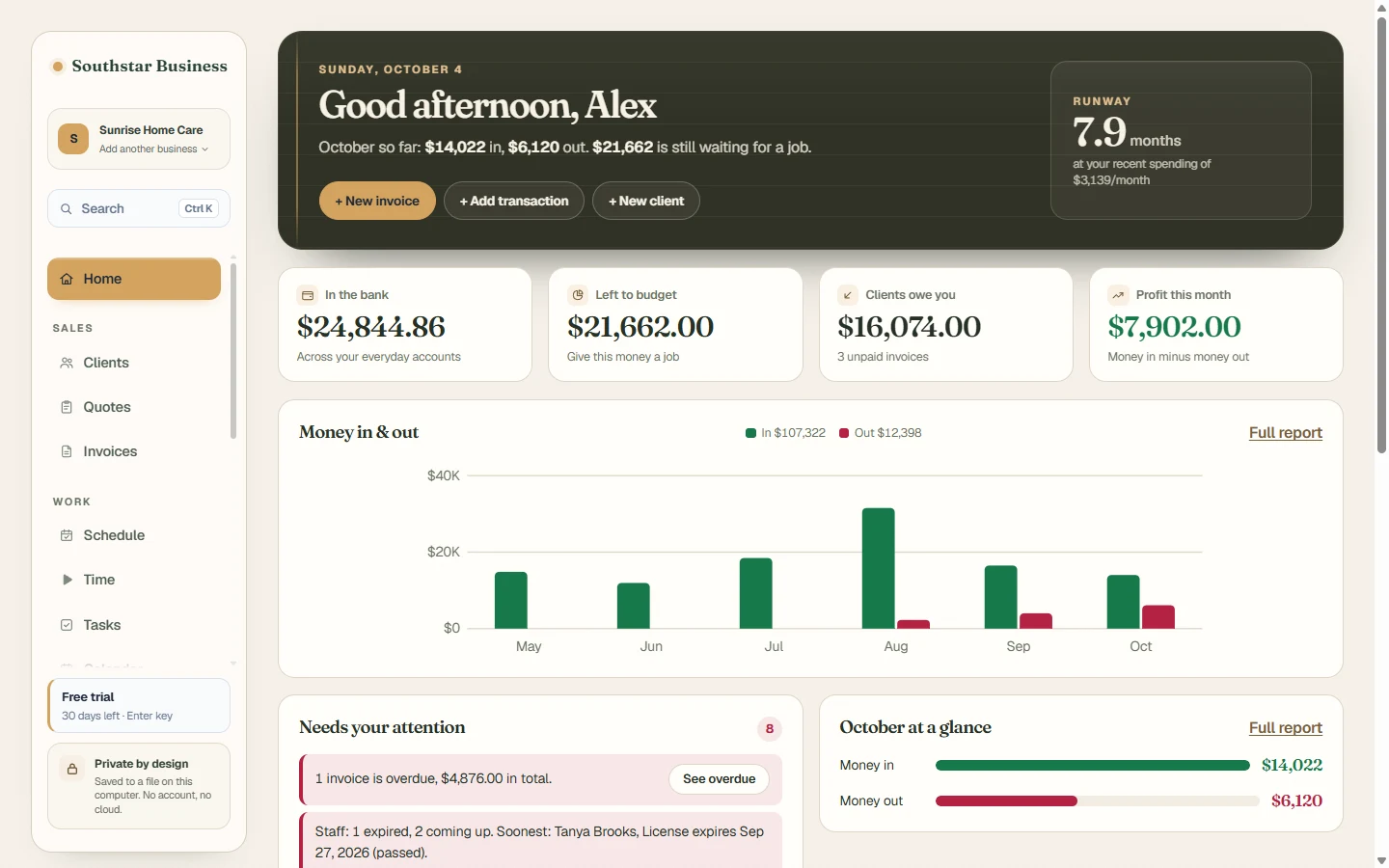
Southstar Business replaces the pile of tools most small businesses use, and it explains your numbers in plain English instead of accounting jargon.
Your logo, three clean templates, a pay-online link, and one click to save a PDF or email it. Overdue invoices are flagged for you.
Contact details, ratings, notes and a full history of every job and payment. Never lose track of who to call back.
Book people into shifts at clients, catch double-bookings and expired licenses, then bill and run payroll from what was worked.
Track anything: staff and certifications, job sites, equipment, members. Pick the fields, get reminders before dates expire, attach photos and PDFs.
Money in vs money out, profit each month, where your money goes, best customers and top services, each with a plain-English takeaway.
Give every dollar a job, import bank files (CSV, OFX, QIF), and see profit and loss without a bookkeeper.
Send quotes that turn into invoices in one click, keep a price list with stock, and pay supplier bills on time.
A timer that bills hours, mileage and receipt photos for tax time, and a running estimate of what to set aside.
Built for staffing and service teams
Most scheduling tools let you book anyone. Southstar Business knows each person’s license and background-check dates from your Staff list, and warns you before you send someone whose paperwork has run out.
Know your numbers
See what comes in, what goes out and what’s left, month by month. No bank connection needed: the charts work straight from your paid invoices and bills, and get even better when you add a bank account.
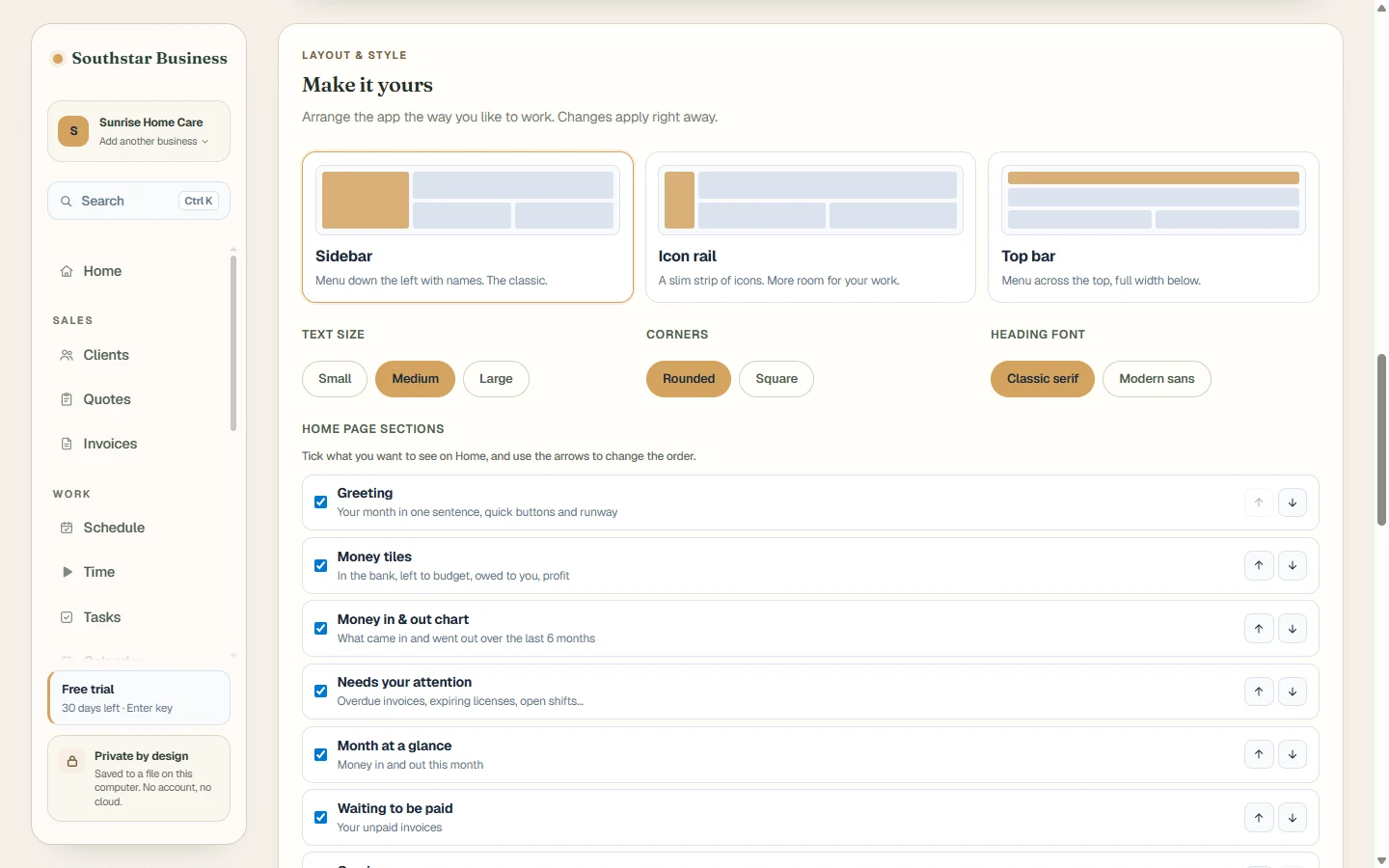
Make it yours
Pick a layout, a theme and an accent color, choose what shows on your Home page, and view each list as a table, cards or a board. It takes a minute, and it’s easy to put back.
Your data, your computer
There’s no account to create and no server holding your clients’ details. Southstar Business saves everything to a plain file in your Documents folder.
Nothing is uploaded anywhere. Client names, phone numbers and staff records never leave your computer.
No internet? No problem. Send invoices and check the schedule from a house call with no signal.
A backup is kept every day for a month, and a damaged file is never overwritten.
Export a full backup any time, move it to a new computer, or keep a copy on a USB drive.
How it’s different
| Southstar Business | Typical cloud invoicing | Spreadsheets | |
|---|---|---|---|
| Clients, invoices, schedule, budget and reports together | Usually several separate apps | Build it yourself | |
| Your data stays on your computer | Stored on their servers | ||
| Works with no internet | Needs a connection | ||
| Checks staff licenses when you schedule | Rarely | Only by hand | |
| Lists shaped to your business | Fixed fields | ||
| Charts that explain themselves | Varies | Build it yourself |
Up and running in minutes
Download the installer and open it. No sign-up, no credit card, no email address.
Choose home care, cleaning, repair, trades and more. The app suggests the lists and tools that fit, and hides what you don’t need.
Import a spreadsheet saved as CSV into any list, or a bank file into your accounts, and you’re done.
Pricing
Try everything free for 30 days. When you’re ready, one $20 license unlocks it all, paid with Cash App or Venmo. No subscription, and the app keeps working forever.
Everything included, for any kind of business.
one time
SSB1-.Questions
In a file called workspace.json in Documents\Southstar Business, with a daily backup in the backups folder next to it. Nothing is sent to us or anyone else.
No. The app runs entirely on your computer. You only need a connection to email an invoice or open a payment link.
Yes. Add as many businesses as you like and switch between them from the top of the sidebar. Each keeps its own clients, invoices, lists and settings.
Yes. Save your sheet as CSV and import it into any custom list; columns are matched to fields by name. Bank statements import as CSV, OFX or QIF.
Your records stay on your own computer and are never uploaded. Keep your computer password-protected, and leave detailed health information out of notes.
Pay $20 with Cash App or Venmo (see Pricing) and put your email address in the payment note. Your key arrives by email. Paste it into the app by clicking the license badge in the sidebar.
Nothing is deleted. The app becomes read-only: you can still open, search, print and export everything. Enter a license key to keep adding and changing things.
Southstar Business is available for Windows 10 and 11 today.
Contact
Ask about the app, get help with your license key, or tell us what would make it better. We read every message and usually reply within a day.
Download Southstar Business for Windows and try everything free for 30 days. No card, no account.
Download for WindowsVersion 0.2.0 · Windows 10 and 11 · About 90 MB · What’s new
Double-click the downloaded Southstar-Business-Setup file to install. If Windows says “Windows protected your PC”, click More info, then Run anyway. It appears because the app is new and not code-signed yet.